Website Builder for Food Trucks — Get Online in 15 Minutes
Create a food truck website with your menu, daily location, and schedule — all updatable from your phone. Built for mobile food businesses on the move. Free to start.
Why Food Trucks Need a Different Kind of Website Builder
Your location changes daily — customers need to know where you are
A food truck's website has one job that no other restaurant website has: tell customers where you are TODAY. A static website with a fixed address is useless for a mobile business. You need a website where location updates are as fast as posting an Instagram story.
You're running the entire business from a truck
Food truck owners are cooks, cashiers, drivers, and marketers — often in the same hour. You don't have time to sit at a computer updating a website. Any tool you use needs to work from your phone, in under a minute, between tickets.
Your menu is tight — every item matters
Food trucks serve focused menus (5–12 items done really well). Your website needs to make each item look craveable. With fewer dishes, the photography and description of each one matters more than for a 50-item restaurant menu.
The Best Template for Food Trucks
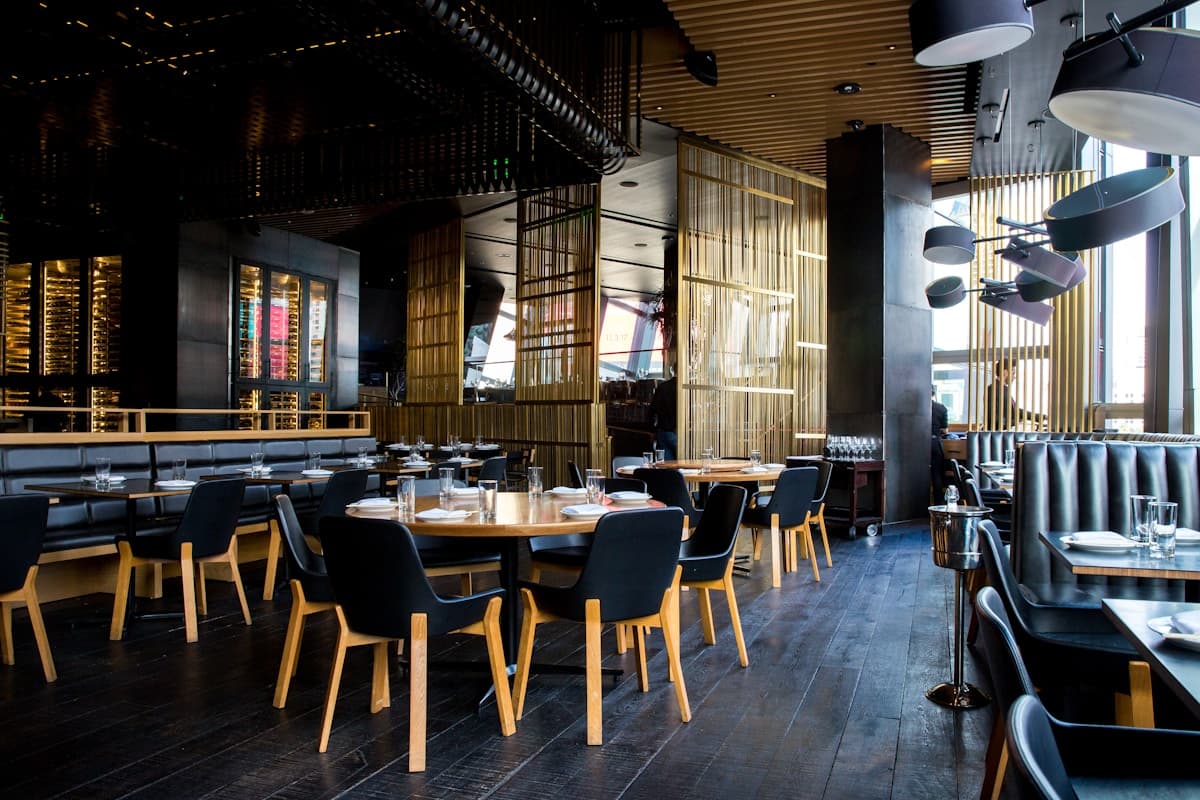
Modern Bistro
Clean, modern, and mobile-first — the Modern Bistro template works perfectly for food trucks. It's designed to look great on phones (where customers check your location) and the menu layout showcases a focused selection of items with strong photography.
Try This Template FreeOther Templates That Work for Food Trucks
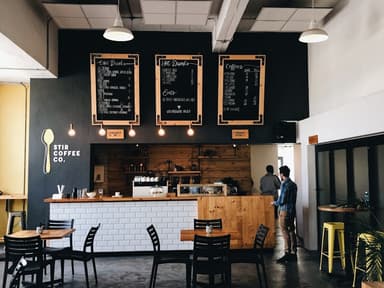
Cozy Cafe
For food trucks with a fun, playful brand — taco trucks, dessert trucks, or anything with a colorful personality. The playful design matches a casual, friendly vibe.

Minimalist
For sleek, modern food truck concepts where the food photography does the talking. Clean design that doesn't compete with your dishes.
Features That Matter for Food Trucks
Location & schedule display
Prominently show today's location and upcoming schedule. Update from your phone in seconds — between serving customers or while your generator warms up.
Focused menu display
Food truck menus are tight (5–12 items). The template gives each item room to shine — large photos, detailed descriptions, and clear pricing.
Mobile-first design
Customers check your location on their phones. Your website loads fast and looks great on mobile — the only screen that matters for a food truck.
Social media integration
Food trucks live on Instagram. Link your social profiles and embed your feed. Your website becomes the hub that connects your online presence.
Food Trucks Owners: We Heard You
Real pain points from restaurant owners — and how InstantCafeSite solves them.
The Problem
“Customers keep asking "where are you today?"”
How We Solve It
Update your location on the website in seconds from your phone. Add your weekly schedule. The website answers the #1 food truck customer question so you can focus on cooking.
The Problem
“I run everything from my phone — I don't have a computer at the truck”
How We Solve It
InstantCafeSite is fully mobile-friendly — sign up, build your site, and update your menu and location, all from your phone. No desktop required.
The Problem
“I tried a website before but never updated it — it was always out of date”
How We Solve It
The menu editor and content sections are designed for quick updates. Change your location in 30 seconds. Update the menu in a minute. If updating takes longer than serving a customer, we've failed.
What This Means for Your Budget
Food trucks have lean operations. The free tier gives you a professional online presence at zero cost — perfect for trucks getting established. Pro at $29/month adds a custom domain (yourbrand.com instead of yourbrand.instantcafesite.com) and unlimited menu items for growing operations.
Frequently Asked Questions
Can I update my location from my phone?+
How do I show my weekly schedule?+
Ready to get your food trucks online?
Free to start, no credit card. Pick the Modern Bistro template, add your menu, and publish — all in about 15 minutes.