Website Builder for Casual Dining — Get Online in 15 Minutes
Create a warm, inviting casual dining website with your full menu, hours, and location. Built for family restaurants, diners, and neighborhood spots — 15-minute setup, free to start.
Why Casual Dining Need a Different Kind of Website Builder
Your menu is large and needs to be easy to browse
Casual restaurants often have extensive menus — appetizers, soups, salads, mains, sides, kids' menu, desserts, drinks. Presenting all of that in a way that's easy to navigate (especially on mobile) is challenging with a generic website builder.
You serve everyone — families, couples, groups, solo diners
Casual dining has the broadest customer base. Your website needs to appeal to parents checking the kids' menu, couples planning date night, and groups coordinating dinner — all on the same page.
Regulars are your backbone — keep them coming back
Neighborhood restaurants thrive on regulars. Your website should make it easy for them to check what's new, see daily specials, and remember why they love your place. Regulars shouldn't have to call to find out the soup of the day.
The Best Template for Casual Dining
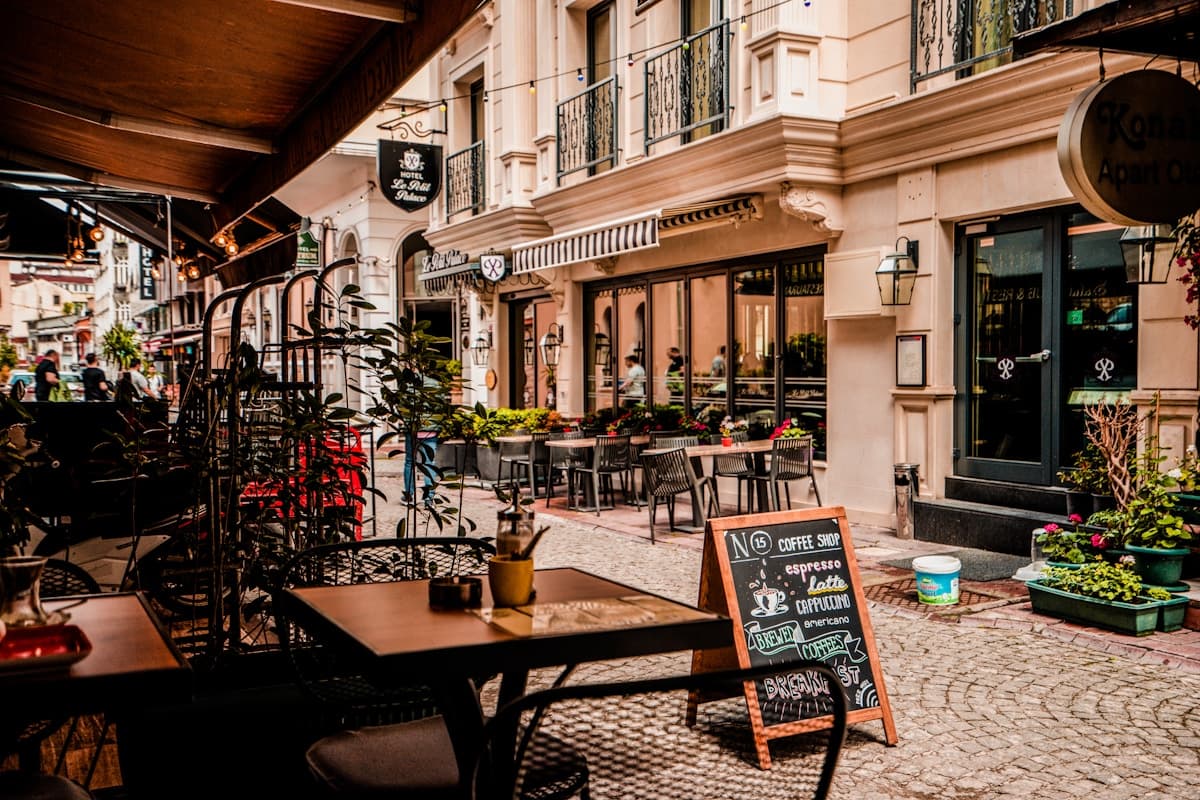
Classic Elegance
The Classic Elegance template is warm, familiar, and inviting — exactly the vibe casual dining restaurants want. Serif typography feels traditional and trustworthy, the warm amber palette is appetizing without being trendy, and the layout accommodates large menus naturally.
Try This Template FreeOther Templates That Work for Casual Dining
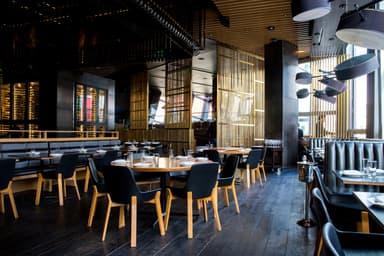
Modern Bistro
For casual restaurants with a more contemporary vibe — gastropubs, modern diners, or globally-inspired casual spots.
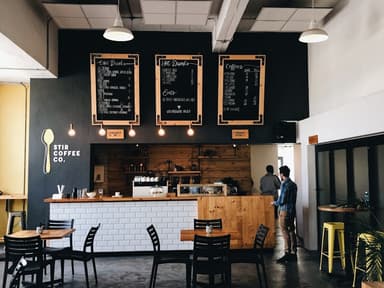
Cozy Cafe
For smaller, cozier casual spots — neighborhood bistros, family-run Italian places, or breakfast/lunch joints with a homey feel.
Features That Matter for Casual Dining
Large menu handling
Organize 50+ items across multiple categories — appetizers, salads, mains, pasta, kids, desserts, drinks. The menu editor handles large menus without becoming a wall of text.
Dietary tags & allergens
Mark vegetarian, gluten-free, and allergen information on each dish. Casual diners often have mixed dietary needs at one table — make it easy for them to see what works.
Daily specials
Highlight your soup of the day, chef's special, or weekend prime rib. Update specials in seconds — no PDF upload, no developer call.
Family-friendly messaging
Include kids' menu, high chair availability, and family-friendly hours. Parents check these things before choosing a restaurant.
Casual Dining Owners: We Heard You
Real pain points from restaurant owners — and how InstantCafeSite solves them.
The Problem
“We have a huge menu — updating it is a major project”
How We Solve It
The menu editor lets you organize items into categories with drag-and-drop. Update prices, add new dishes, or remove discontinued items individually — you don't have to redo the whole menu for one change.
The Problem
“Customers keep calling to ask about the soup of the day and hours”
How We Solve It
Update your daily specials on the website in seconds. Prominently display hours (including holiday hours). The website answers routine questions so your staff can focus on guests.
The Problem
“We tried Wix but gave up — too many options, too much time”
How We Solve It
InstantCafeSite is purpose-built for restaurants. You're not building a website from blocks — you're filling in your restaurant's information in a template that already knows what a restaurant website needs.
What This Means for Your Budget
Casual restaurants operate on volume and margin. At $29/month, InstantCafeSite Pro costs less than one entrée per month. The free tier is perfect for getting started — upgrade to Pro when you want your own domain and unlimited menu items.
Frequently Asked Questions
How many menu items can I add?+
Can I have different menus for lunch and dinner?+
Ready to get your casual dining online?
Free to start, no credit card. Pick the Classic Elegance template, add your menu, and publish — all in about 15 minutes.